Light curves
AMPy can generate multi-band light curves from observational data and model predictions. The light curve routine is model-agnostic and works with any built-in or user-defined model, including arbitrary plugin combinations.
Observed data are plotted alongside the inferred model, with bands
color-coded using the Band column from the input file.
Basic usage
The easiest way to generate a light curve is through the high-level
AMPy interface:
ampy.lightcurve()
If inference has already been run, this uses the best-fit parameters from the
most recent inference result stored on the ampy instance and overlays the
corresponding model prediction on the data.
Uncertainty regions
AMPy can display an uncertainty region using posterior samples from the inference. To plot a shaded region corresponding to a given confidence level:
ampy.lightcurve(sigma=1)
Here, sigma=1 corresponds to a 1σ uncertainty region.
Calibration offsets
By default, calibration offsets (if modeled) are not applied when plotting. This allows users to visualize the raw observational data. To apply calibration offsets to the plotted data:
ampy.lightcurve(offset=True)
This is useful when assessing the calibrated agreement between model and data.
Advanced Usage
For more control—such as generating a model light curve from user-specified parameters without running inference—use the lower-level generator function:
from ampy.products.plotting import generate_light_curve

ax = generate_light_curve(obs=obs, plugins=plugins, params=params)
This function can be called directly in scripts to generate dense model curves
(e.g., ndata points per band), apply optional band spreading, or customize
Matplotlib plotting options via ll_kwargs and plot_kwargs.
See the plotting API reference for full details.
Example output
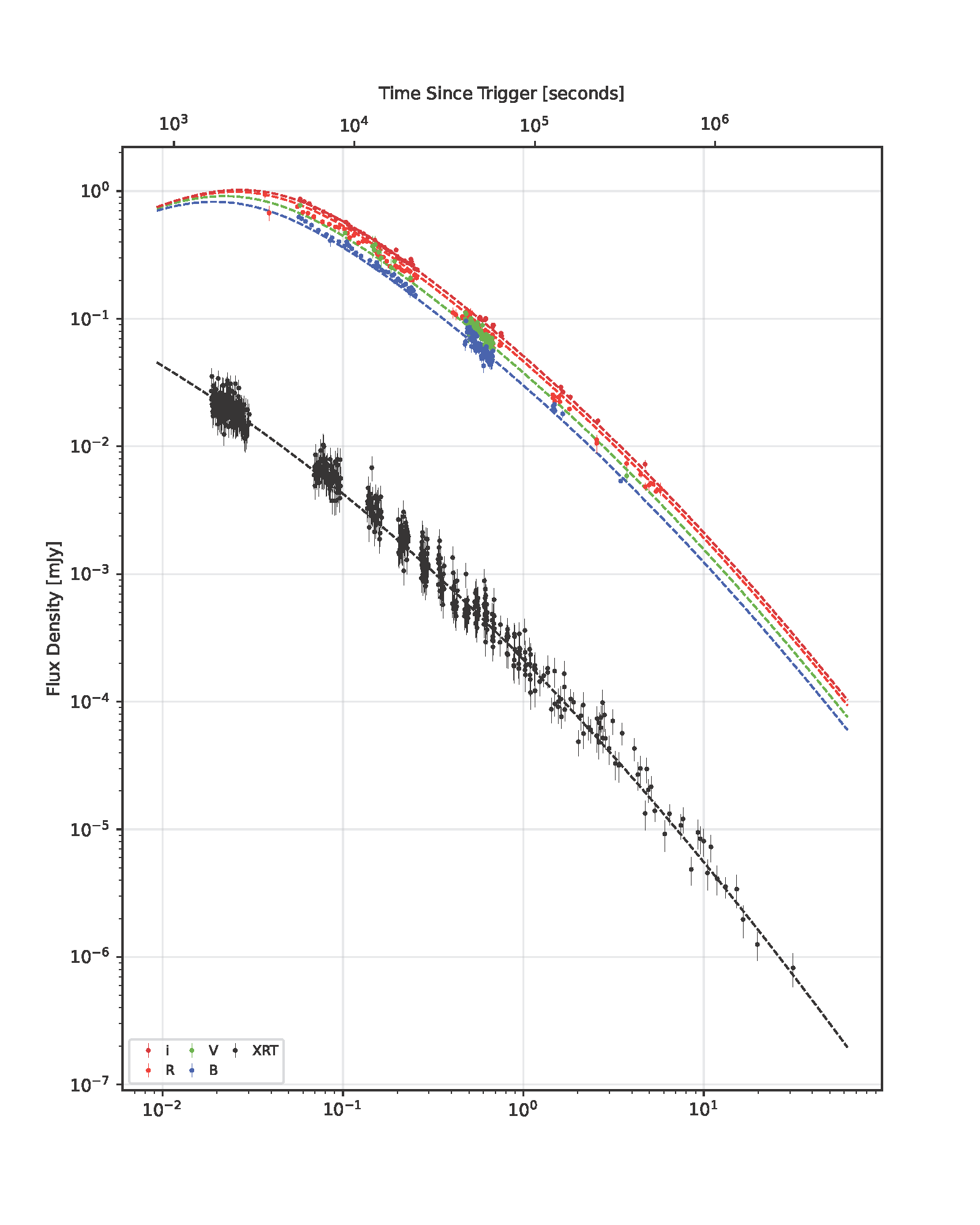
Example multi-band light curve generated by AMPy using default settings.
Download PDF